

1. The update never loads
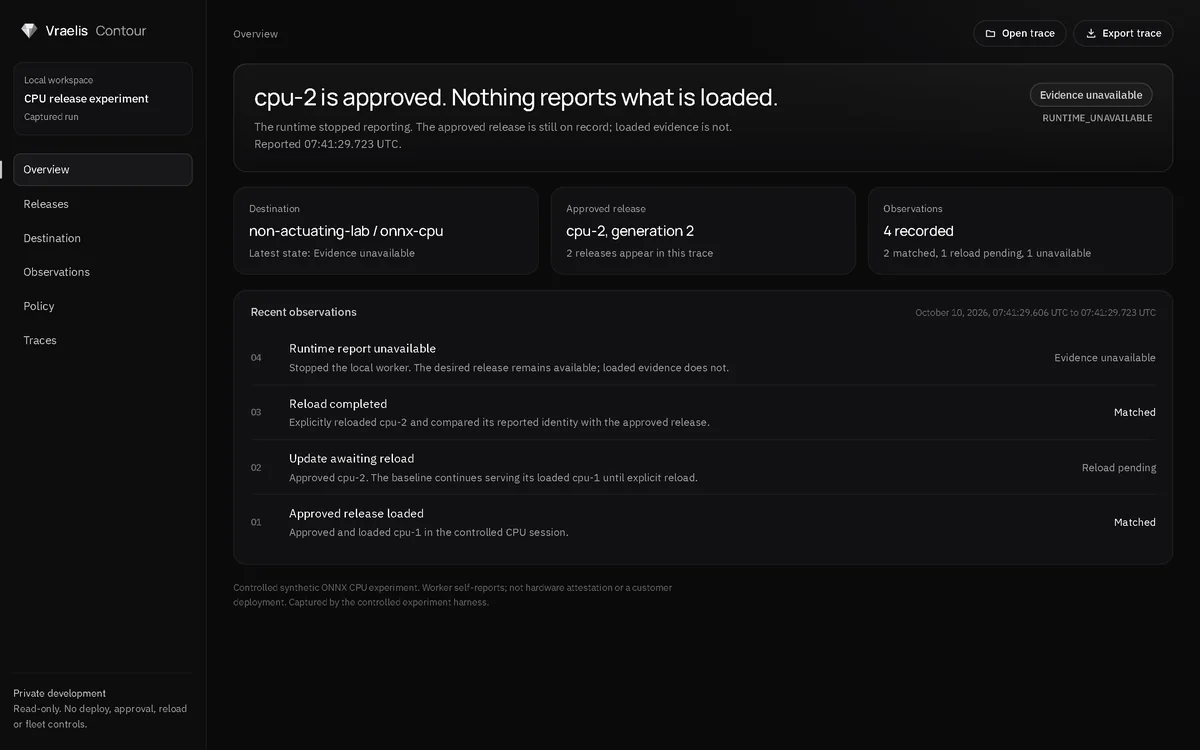
The runtime keeps serving the previous release. Nothing failed; the new one simply is not running yet. In Contour's recorded run this is exactly what happened: cpu-2 was approved while cpu-1 stayed loaded until an explicit reload.
The evidence that catches it is a comparison of what the runtime reports loaded with what was approved.
2. Different bytes arrive
The model file at the destination is not the file that was approved. It could be a different build, a swapped artifact or a damaged copy. Checking the bytes against the approved digest before a session loads them is artifact integrity, and the experiment does it.
3. Same model, different configuration
The model is right but the configuration around it changed. Because configuration shapes behavior too, the experiment makes the configuration digest part of the release and compares it on every report.
4. The right release in the wrong place
An approval meant for one environment is used in another. Destination-bound approval names the environment and resource an approval applies to. Scripted fault tests for wrong destinations and changed components are specified but have not been run.
5. No usable report arrives
No usable runtime report is available: the runtime stopped, is unreachable, or sent nothing that can be read. The tempting answer is to show the last known state as if it were current. The honest answer is to record that evidence is unavailable, which is what the recorded run does in its fourth observation, where the worker had stopped.