The workflow
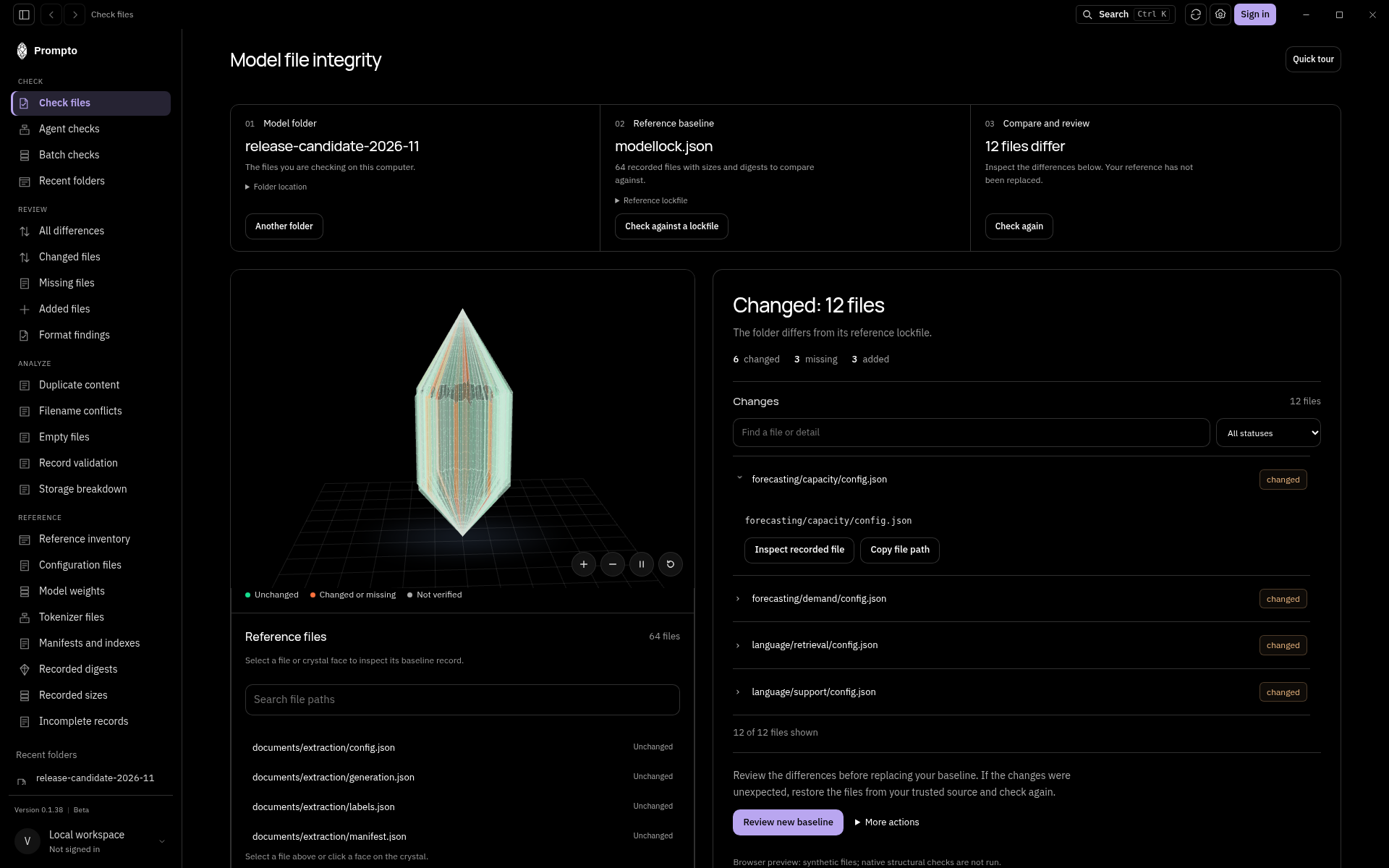
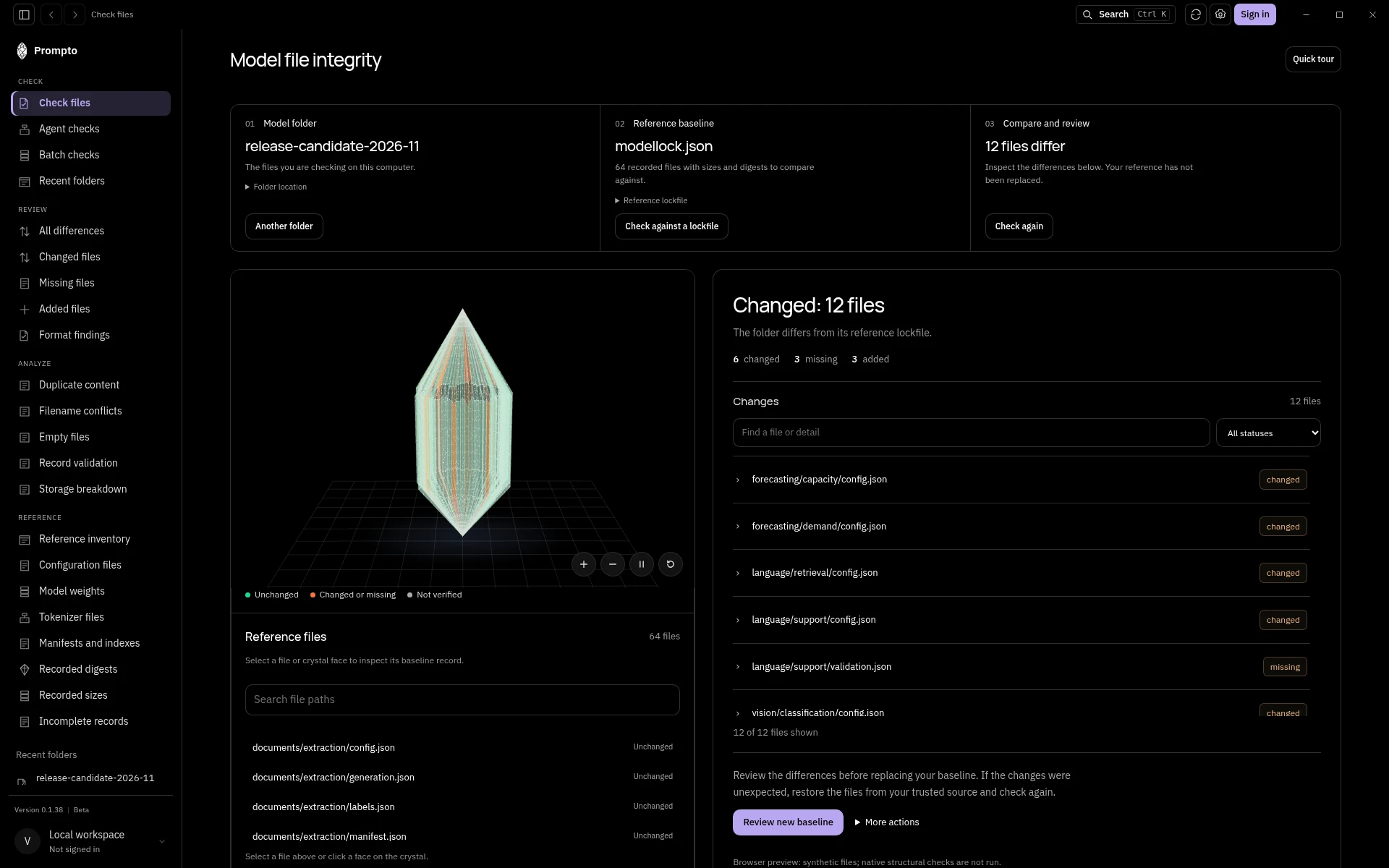
Prompto records model and agent files against a baseline, then identifies changed, missing and added files. It answers which bytes differ, rather than whether a model is safe or behaves correctly.
A practical sequence
Start with a trusted model folder and record its baseline. Keep the reference with the release you intend to compare.
Check the current folder against that reference. Review Changed and Cannot verify results before accepting a new baseline.
Filter changes by status or path and inspect individual records. Use the crystal to navigate the reference files.
Review duplicate content, filename conflicts, empty files, record validation and storage breakdown. These views analyze the record rather than repair files.
Collect relevant changes in a review packet for a handoff. Keep the original baseline until a person has reviewed the difference.
Choose your surface
The desktop app supports local file workflows. The web workspace holds saved checks and account reporting. The CLI supports scripted checks. Use the [installation guide](/docs/prompto-install) for platform availability and the [reporting guide](/docs/prompto-reporting) for a scheduled job.
Try the sample workspace
The [Prompto product page](https://vraelis.com/prompto#product-story) embeds an interactive sample workspace. It is not a recording and does not need your files. Its sample results do not inspect your device. Native file checks require the installed application.
A matching digest establishes consistency with the selected baseline. It does not establish the baseline’s trustworthiness, model safety, runtime loading or device attestation. See [results and limits](/docs/prompto-limits).
 Vraelis
 Foremake Inc.